
10 Open-Source Tools for Cloud Cost Management
- Open Source Cloud Costs: A Deep Dive Into OpenCost's Impact on Enterprise...- Matt Ray & Don O'Neill
- How Open-Source Cost Tools Work
- 1. Kubecost
- 2. OpenCost
- 3. Komiser
- 4. Infracost
- 5. Koku (Project Koku)
- 6. Cloud Custodian
- 7. Prometheus and Grafana Stacks
- 8. Terraform Cost Estimation Plugins
- 9. Pulumi Cost Analysis Libraries
- 10. FinOps Integration with Metamindz
- Conclusion
- FAQs
- How can open-source cloud cost management tools help UK organisations ensure data residency and comply with GDPR?
- Why should UK development teams integrate cost estimation tools like Infracost into their CI/CD pipelines?
- How can UK organisations use open-source tools to implement tagging and cost allocation strategies for better cloud cost management?
10 Open-Source Tools for Cloud Cost Management
Cloud costs can spiral out of control quickly, especially if you're running multiple accounts, scaling Kubernetes, or juggling poor tagging practices. Surprise invoices are no joke, but open-source tools can help UK organisations manage spending without vendor lock-in or hefty licensing fees. Here's what you need to know:
- Kubecost: Tracks Kubernetes costs in real-time, breaking down expenses by pod, namespace, or service. Great for showback/chargeback models.
- OpenCost: Provides detailed Kubernetes cost insights for multi-cloud setups. Works well with Prometheus and Grafana.
- Komiser: A unified view of multi-cloud costs with strong resource tagging and GBP support.
- Infracost: Estimates costs for infrastructure-as-code changes before deployment, integrating with CI/CD pipelines.
- Koku: Ideal for hybrid cloud setups, offering precise cost allocation and chargeback for OpenShift and Kubernetes.
- Cloud Custodian: Automates cost-saving policies like shutting down idle resources or enforcing tagging standards.
- Prometheus & Grafana: Customisable for cloud cost tracking alongside performance monitoring.
- Terraform Cost Estimation Plugins: Predict cloud costs before deployment, helping avoid budget shocks.
- Pulumi Cost Analysis Libraries: Adds cost insights to code-based infrastructure workflows.
- FinOps Integration with Metamindz: Expert guidance to integrate and optimise these tools for UK-specific needs.
Quick tip: Start with visibility - deploy tools, enforce tagging, and create dashboards. Then move to accountability (budgets, reviews) and finally optimisation (automated cleanups, rightsizing). If you're short on time or expertise, consider external help like Metamindz to get things running smoothly. Let’s dive into how these tools work and how you can use them to cut costs.
Open Source Cloud Costs: A Deep Dive Into OpenCost's Impact on Enterprise...- Matt Ray & Don O'Neill
How Open-Source Cost Tools Work
Open-source cost management tools operate on a straightforward yet effective architecture. At their heart is a pipeline that collects metrics, enriches them with pricing information, stores the data, and then makes the results accessible through dashboards and APIs. Getting a clear picture of this process is key for UK teams looking to deploy and configure these tools effectively. Let’s break down how the different components of this pipeline work together.
It all kicks off with agents or exporters running within your Kubernetes clusters or cloud accounts. These continuously gather metrics on resource usage - things like CPU cycles, memory consumption, storage usage, and network traffic. Each metric is tagged with labels such as namespace, team name, environment (e.g., production or staging), or cost centre. These tags are crucial because they allow you to later dig into your data and answer questions like, "What did the marketing team's staging environment cost us last month?"
Once the metrics are collected, they’re sent to a time-series database, with Prometheus being the go-to choice for most setups. Prometheus scrapes these metrics at regular intervals, stores them efficiently, and makes them easy to query. Tools like Kubecost and OpenCost add their own cost metrics to the mix, which Prometheus can ingest alongside standard infrastructure data. This creates a combined view of both technical performance and financial impact. To ensure accuracy, background services regularly query cloud pricing APIs, mapping rates to the resources detected in your environment - like instance types, storage classes, or other services. For UK teams, configuring the correct region, such as eu-west-2 (London) in AWS or equivalent UK regions in Azure or Google Cloud, is critical because prices can vary significantly by location.
The visualisation layer is typically powered by Grafana, which connects to Prometheus as a data source. UK teams can build dashboards to break down costs by project, product, or even customer. These dashboards can also trigger alerts when spending exceeds set thresholds in GBP or schedule regular reports for finance and engineering teams. Grafana’s flexibility means you can tailor the views: engineers might focus on costs per pod or namespace, while finance teams need monthly summaries broken down by department or cost centre.
Another key tool in the workflow is Terraform cost estimation tools, which come into play during the planning phase. These tools don’t monitor live infrastructure but instead analyse your infrastructure-as-code files, like Terraform plans or state files, to estimate costs before resources are deployed. By combining the planned resources with pricing data, they calculate projected monthly or annual costs. Embedding this step into your CI/CD pipeline means every pull request can trigger a cost estimation, with outputs in GBP, allowing reviewers to assess the financial impact before merging changes. This approach integrates cost awareness directly into your FinOps practices.
For UK organisations with concerns around data residency and compliance, self-hosting these tools in local regions addresses data governance and regulatory needs. Many tools offer Helm charts for Kubernetes, making deployment straightforward. Additionally, configuring GBP as the default currency ensures reports align with internal budgeting cycles - a practical step for accurate financial tracking.
Consistent labelling is a cornerstone of effective cost allocation. UK teams can enforce tagging conventions via Terraform modules, admission controllers, or CI/CD checks. This ensures that open-source tools can reliably segment spending into distinct cost centres, making it easier to implement showback or chargeback models and generate clear, actionable reports for finance leaders.
Integrating these tools into existing workflows often involves automating cost checks in CI/CD pipelines, embedding dashboards into regular engineering reviews, and setting up alerts or budgets tied to incident and change management processes. These steps align with FinOps principles, promoting cost awareness across all teams. For organisations without a mature FinOps practice, external experts - like fractional CTO services or technical due-diligence partners such as Metamindz - can help design cost-aware architectures, deploy the right open-source stack in UK regions, and ensure the tools deliver actionable data for finance, product, and leadership teams.
As organisations scale, performance and scalability become critical. Teams need to carefully size Prometheus, storage backends, and dashboards, using features like metric retention policies, remote storage, and sharding to handle growing resource demands. Larger UK organisations operating in multi-cloud or hybrid environments might centralise cost data from all regions into a dedicated observability or FinOps cluster hosted in a UK or EU region. These practices help ensure robust cloud cost management that meets UK-specific operational and regulatory requirements.
1. Kubecost
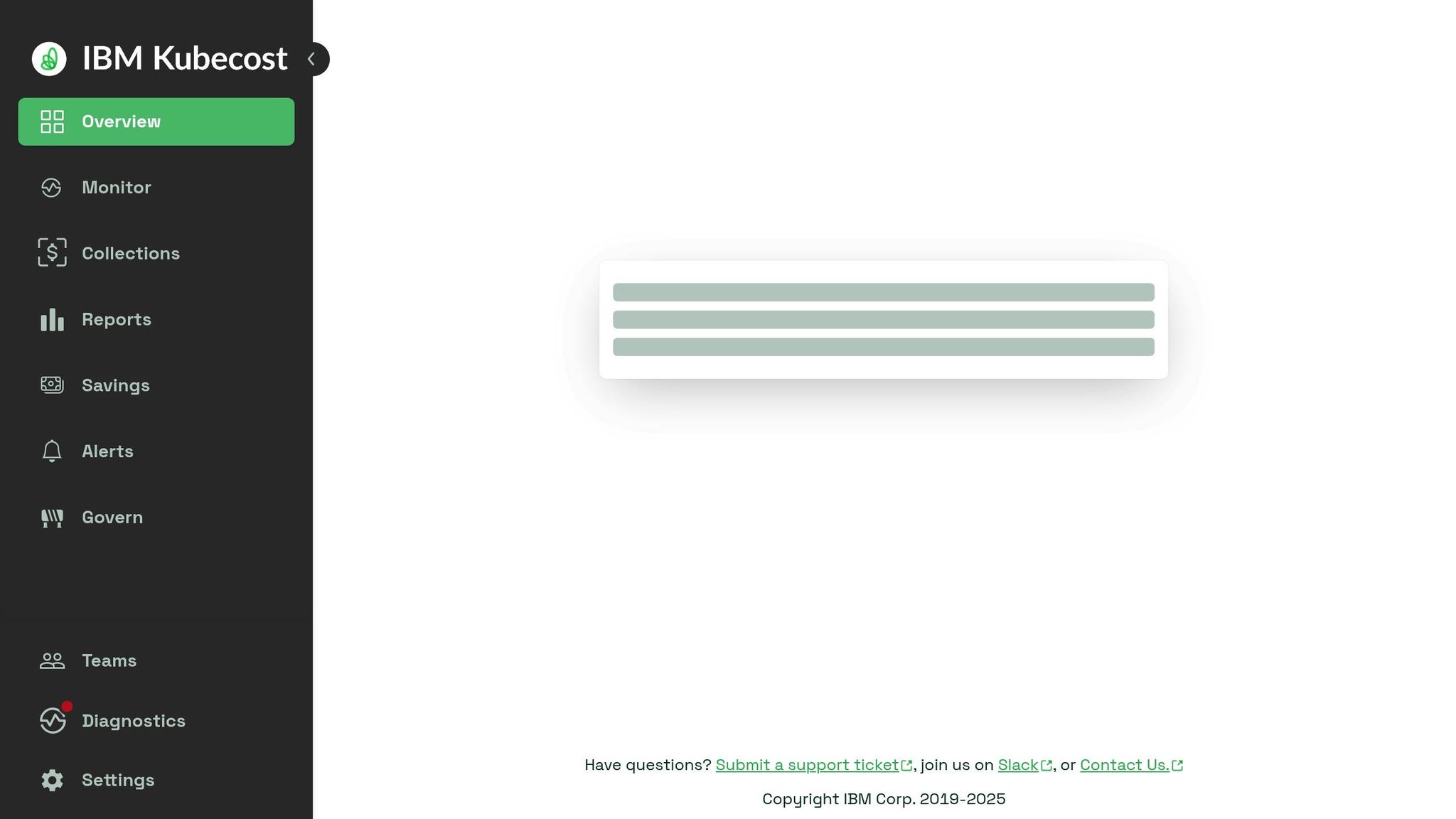
Kubecost has earned its place as a go-to tool for managing Kubernetes costs, especially for teams in the UK. It connects seamlessly with Prometheus to provide real-time cost insights, breaking down expenses by namespace, pod, deployment, service, or even custom labels. This detailed breakdown makes it much easier for engineering and finance teams to pinpoint exactly where money is being spent.
One of the standout features is its ability to track costs in detail, which is a game-changer for organisations running multi-tenant clusters or juggling multiple products within a single Kubernetes setup. Whether you're using it for showback (informing teams about their costs) or chargeback (billing internal teams), Kubecost fits right in. Plus, it integrates with your existing Prometheus and Grafana setup, delivering cost data through customised dashboards. This means you can weave cost insights directly into your team's daily workflows without adding complexity.
For those working in multi-cloud environments, Kubecost has you covered. It supports cost tracking across AWS, Azure, and Google Cloud, pulling in accurate pricing data for local regions like AWS's eu-west-2 or Azure's UK South. You can even set GBP as the default currency, ensuring your reports align with UK budgeting needs.
As a self-hosted solution deployable via Helm charts, Kubecost can run within UK or EU regions, addressing data residency and compliance concerns. This is particularly handy for organisations with strict data governance requirements.
Another great feature is its alerting and budgeting tools. Teams can set spending thresholds and receive instant alerts through Slack, email, or incident management systems if spending anomalies occur. This proactive approach can save a lot of headaches by catching issues early.
The open-source version of Kubecost is robust enough for most use cases, offering cost allocation, multi-cloud support, and Prometheus integration. For larger enterprises, the commercial version adds extra perks like long-term data retention and advanced role-based access control (RBAC). Whether you're a small team or a large organisation, Kubecost can slot into your cost management strategy with ease.
2. OpenCost
OpenCost has become a handy tool for keeping tabs on Kubernetes costs, especially for UK organisations keen on managing their cloud expenses without losing sight of transparency. As an open-source project, it’s designed to provide clear cost insights for multi-cloud and hybrid setups - ideal for teams juggling Kubernetes workloads across AWS, Azure, and Google Cloud Platform.
One of its standout features is the ability to break down costs by namespace, workload, and label within Kubernetes clusters. This level of detail allows you to assign cloud spending to specific teams, projects, or applications. It’s a practical way to implement showback or chargeback models, ensuring accountability and helping everyone understand exactly where the budget is going.
Integrating OpenCost into your existing DevOps toolkit is pretty straightforward. It works seamlessly with Prometheus for metrics collection and pairs up with Grafana for visualisation, so you can add cost data to your current dashboards without needing to revamp your entire monitoring setup. It also plays nicely with various FinOps and cloud management platforms, making it easy to fit into your existing workflows. This flexibility makes OpenCost a solid piece of the puzzle for any UK organisation’s FinOps strategy.
For teams in the UK, data residency is often a big deal, especially with UK GDPR compliance in mind. OpenCost can be deployed on-premises or in a private cloud, helping ensure that sensitive financial and operational data stays within UK or EU boundaries. This is particularly reassuring for organisations handling sensitive information.
Another practical feature is its ability to display costs in the billing currency of your cloud provider. For example, if your AWS, Azure, or GCP account is set to bill in GBP, OpenCost will show costs in pounds. It pulls directly from your provider’s localised billing data, so there’s no need for separate currency conversion.
OpenCost provides real-time cost monitoring for Kubernetes workloads, giving you up-to-date insights into cluster spending. That said, it’s worth noting that OpenCost focuses heavily on Kubernetes environments. If your organisation relies on a mix of Kubernetes and non-Kubernetes cloud resources, you might need to pair OpenCost with other tools to get a full view of your cloud costs.
Its Kubernetes-native design also allows developers to see the financial impact of their work in real-time. This encourages more cost-aware engineering practices. For UK FinOps teams, the transparency and community-driven nature of OpenCost make it an appealing choice, offering both flexibility and control while slotting neatly into existing cloud and DevOps setups.
In short, OpenCost bridges the gap between technical integration and financial oversight, providing a practical solution for UK organisations looking to keep their Kubernetes costs in check.
3. Komiser
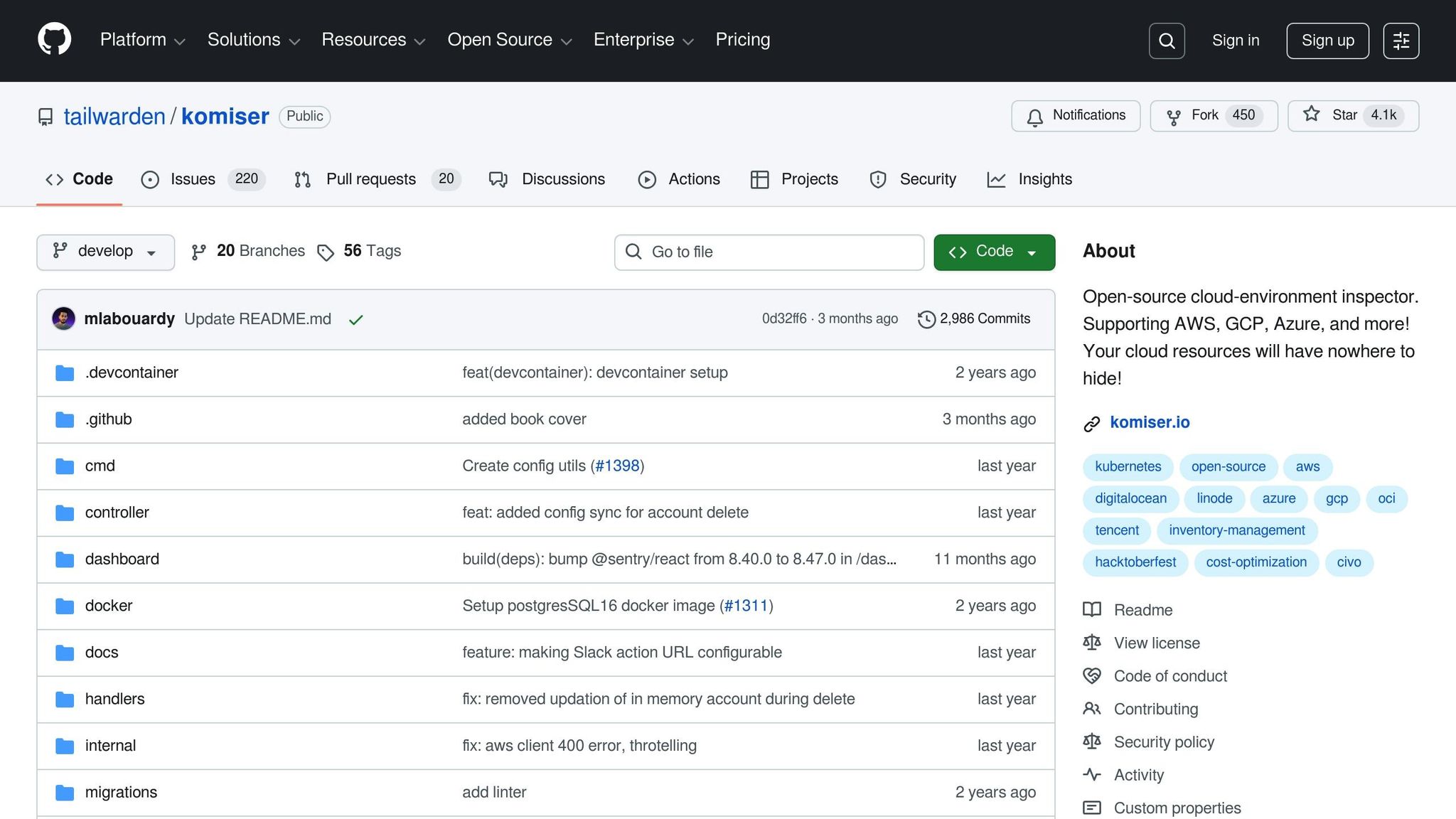
Komiser is a handy tool for managing costs across multiple cloud platforms, making it a great fit for UK organisations that rely on a mix of AWS, Azure, Google Cloud Platform, and Kubernetes. Instead of being limited to just one environment, Komiser gives you a unified view of all your cloud spending. This makes it easier to get a detailed breakdown of costs and allocate them effectively.
One of its standout features is resource tagging, which lets you track spending down to specific teams, projects, or departments. You can break costs down by service, region, or account, making it simple to figure out who’s spending what. For companies managing multiple teams or projects, this level of detail is invaluable.
For UK businesses, data residency is often a major concern, especially with UK GDPR regulations to navigate. Komiser addresses this by offering on-premises or private cloud deployment, ensuring that sensitive data stays within the UK.
Another plus is its support for local currency. If your cloud provider bills you in GBP, Komiser will display costs in pounds, as long as your accounts are set up that way. It directly mirrors your cloud provider’s billing data, so there’s no need for extra configuration to see your costs in GBP.
Komiser also integrates seamlessly with tools like Prometheus and Grafana. This means you can add cost metrics to your existing dashboards, letting your engineering teams view spending alongside performance data. This setup encourages more cost-aware development practices and fosters greater transparency across your infrastructure.
For UK SaaS companies, Komiser is particularly useful for tracking AWS and Azure spending, allocating costs by team, and spotting waste like underused resources. However, setting it up does require some initial work. You’ll need to configure resource tagging and API access, and it’s a good idea to double-check that your cloud accounts are set to bill in GBP before you get started. Reviewing your cloud provider’s billing settings for compliance with local regulations is also a smart move.
As an open-source tool, Komiser offers flexibility and the ability to customise it to your needs without being tied to a specific vendor. For UK tech companies and startups dealing with mixed cloud environments and strict data governance rules, Komiser strikes a balance between gaining cost visibility and staying compliant with regulations.
4. Infracost
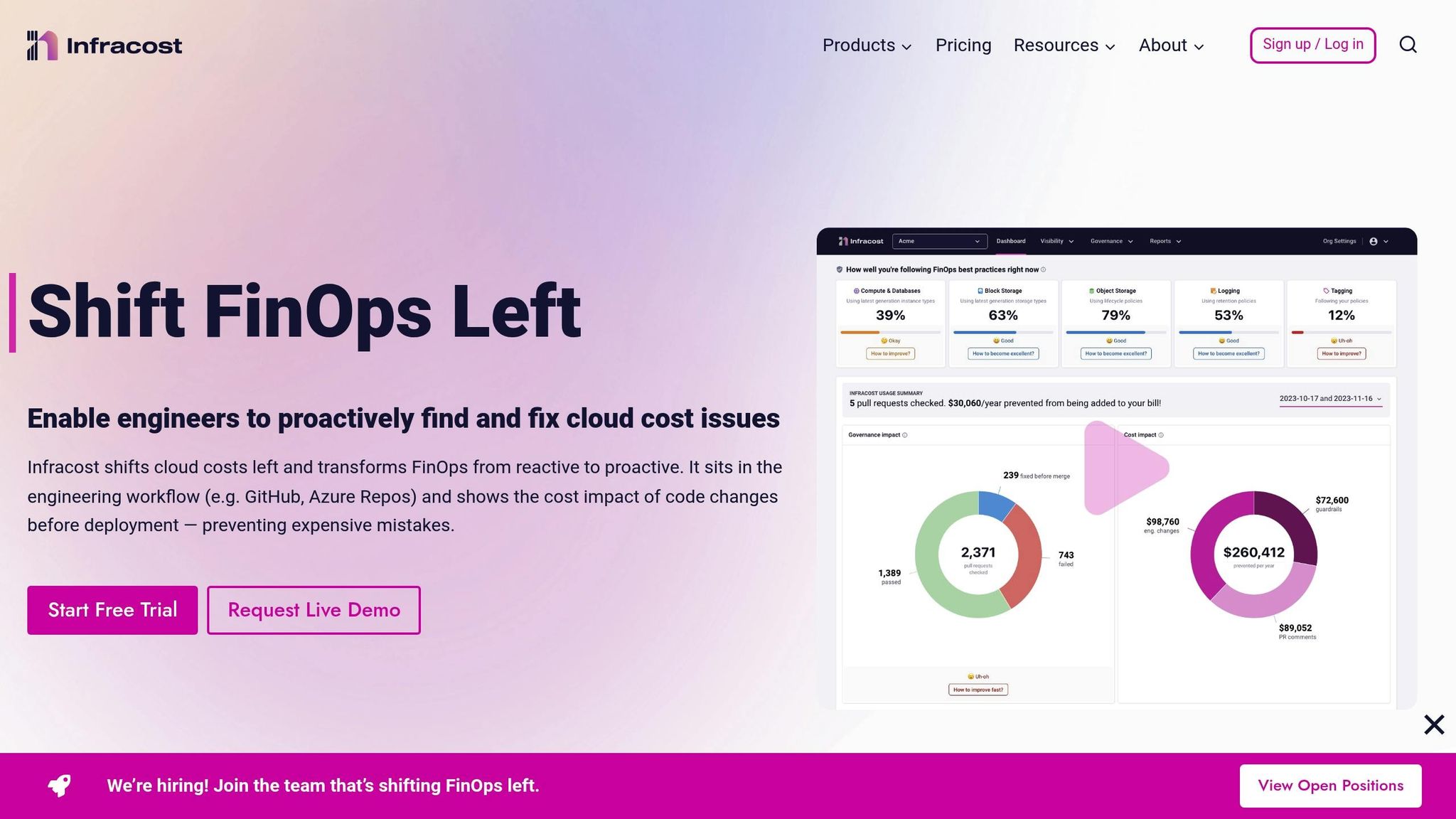
Infracost takes a fresh angle on cloud cost management by focusing on infrastructure-as-code rather than monitoring existing cloud resources. The idea is simple but powerful: it shows you the financial impact of your infrastructure changes before you deploy them. This makes it especially handy for UK development teams using tools like Terraform.
The tool works seamlessly with AWS, Azure, Google Cloud Platform, and Kubernetes, and it integrates directly into CI/CD pipelines. Here’s how it works: when a developer submits a pull request with infrastructure changes, Infracost automatically evaluates those changes and adds a cost estimate directly into the pull request. This means your team can review the financial impact of changes before merging the code - a game-changer for keeping costs under control from the start.
This "shift-left" approach is all about tackling cost considerations early in the development cycle, rather than dealing with surprises after deployment. For UK SaaS companies and startups moving fast, this kind of foresight can help balance innovation with budget constraints. It also makes it easier to allocate costs at the resource level, so every project or team knows exactly what their new infrastructure will cost from the get-go.
Infracost takes this a step further by letting you configure your preferred currency, including GBP. This is a big win for UK organisations that want cost estimates in pounds rather than having to convert from dollars. Once you’ve set it up, all cost reports will display in your chosen currency, making budgeting much simpler.
Another standout feature is data residency. Infracost runs locally or on your own infrastructure, which means your cost data stays within your control. This is a major plus for GDPR compliance and meeting UK-specific data handling requirements.
That said, it’s worth noting that Infracost focuses exclusively on upfront cost estimation. It doesn’t monitor ongoing spending or provide alerts for runtime costs. So, if you need tools for tracking live expenses or performing detailed cost analytics, you’ll probably want to pair Infracost with something that handles those tasks.
Infracost is perfect for teams where developers regularly make infrastructure changes and where cost visibility is essential in every code review. By integrating cost estimates directly into the development workflow, it ensures that engineering teams can see the financial impact of their decisions without waiting for a shocking bill at the end of the month.
5. Koku (Project Koku)
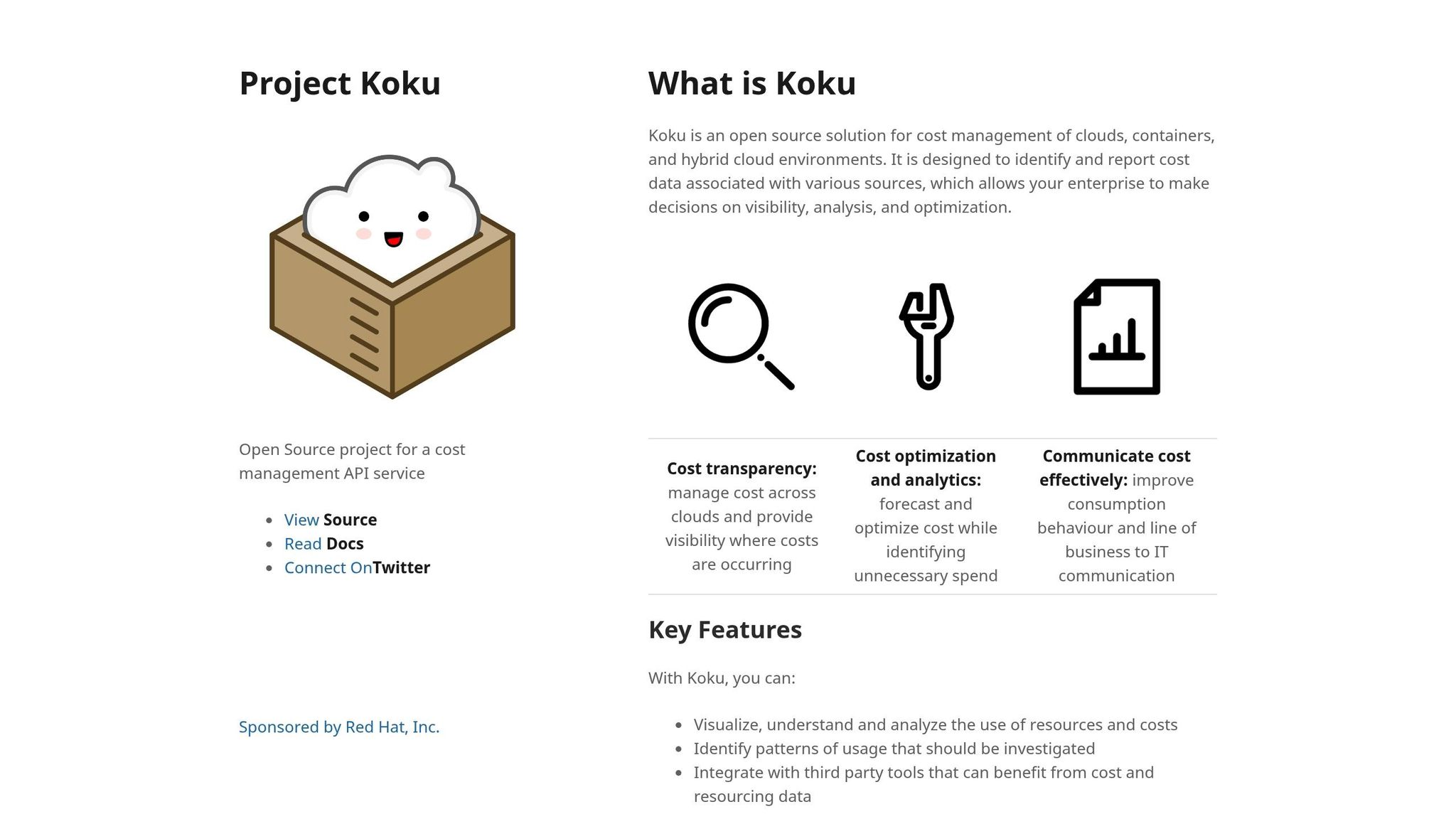
Let’s dive into Koku, an open-source cost management tool that’s been developed by Red Hat. It’s designed for tracking and allocating cloud expenses across various environments. If your business operates in a hybrid cloud setup or relies on container orchestration platforms like OpenShift or Kubernetes, Koku could be a solid choice. It’s particularly handy for FinOps practices, as it focuses on breaking down costs with precision.
The platform supports AWS, Azure, Google Cloud Platform, and OpenShift, which makes it a versatile option for UK-based organisations working across multiple cloud providers. A standout feature of Koku is its cost allocation and chargeback capabilities. This means you can attribute cloud spending to specific projects, teams, departments, or even individual workloads. For larger organisations, this level of granularity is invaluable when it comes to managing budgets across different business units.
How Koku Works
Koku collects billing data straight from your cloud providers using their native APIs. For example:
- AWS: It pulls data from Cost and Usage Reports.
- Azure: It uses the Cost Management API.
- Google Cloud: It retrieves billing data from BigQuery exports.
Once the data is ingested, Koku processes it and presents it through a web-based dashboard. This dashboard lets you break down costs by various dimensions, such as service type, region, or custom tags. Essentially, it’s a powerful tool for slicing and dicing data to understand exactly where your money is going.
Integration with OpenShift
One of Koku’s strengths is its seamless integration with OpenShift, Red Hat's Kubernetes platform. If your organisation runs containerised workloads on OpenShift, Koku provides detailed insights into costs at the pod, namespace, or project level. For UK tech teams managing microservices or applications, this level of detail can be a game-changer. Knowing the exact cost of running each service helps with budgeting and justifying expenses.
Self-Hosting and Data Compliance
For UK organisations, data residency is often a critical concern. Koku is entirely self-hosted, meaning all your cost data stays on your own infrastructure. This is a big plus for GDPR and UK data protection compliance, as you’re not sending sensitive billing data to third-party services. Keeping everything in-house simplifies compliance and reduces potential risks tied to external data handling.
Another practical feature for UK users is that Koku displays costs in the billing currency. So, if your cloud accounts are in GBP, the dashboard will reflect this directly. However, if your accounts are billed in USD or EUR, you’ll need to manage currency conversion yourself - either through your cloud provider’s settings or by applying conversion rates manually in your reporting tools.
Customisation and Use Cases
Koku also supports tagging, allowing you to organise costs in a way that suits your business structure. You can create custom cost models to allocate shared resources or overheads according to your chosen logic. This is particularly useful for UK SaaS companies or agencies that need to bill clients based on actual cloud usage or split costs across customer accounts.
What Koku Doesn’t Do
It’s worth noting that Koku is all about cost visibility and allocation. It doesn’t actively suggest ways to cut costs or flag underutilised resources. If you’re looking for automated recommendations or cost-saving alerts, you’ll need to pair Koku with another tool focused on optimisation.
Setup and Maintenance
Because Koku is self-hosted, there’s some setup and maintenance involved. You’ll need to provision the infrastructure to run it, manage updates, and ensure it remains available. For smaller UK startups with limited DevOps resources, this could feel like a bit of a hurdle. However, if your organisation already has an infrastructure team or runs OpenShift, integrating Koku shouldn’t be too much of a stretch.
Is Koku Right for You?
Koku is a great fit for UK enterprises and mid-sized businesses that need detailed cost allocation, especially if you’re using OpenShift or require internal chargeback models. While it’s not a one-stop solution for cost optimisation, its focus on precise cost tracking makes it a valuable tool for FinOps teams aiming to understand and allocate cloud expenses effectively.
sbb-itb-fe42743
6. Cloud Custodian

Cloud Custodian is a stateless rules engine designed to not only pinpoint where your cloud spend is happening but also actively enforce policies across your cloud infrastructure. It works with AWS, Azure, Google Cloud Platform, and Kubernetes, making it a solid choice for UK organisations juggling multi-cloud setups. By using a YAML-based policy language, you can define rules for how resources should behave. For instance, you might set up policies to automatically shut down development environments outside working hours, enforce tagging standards for easier cost tracking, or flag resources that don’t meet your organisation’s guidelines. Unlike earlier cost allocation tools, Cloud Custodian brings a proactive approach, enforcing rules to keep spending in check.
How Cloud Custodian Helps with Cost Management
Cloud Custodian simplifies cloud cost management by automating tasks that would otherwise require manual intervention. You can configure policies to address common sources of waste, such as:
- Off-hours scheduling: Automatically shutting down non-critical instances when they’re not needed, like outside business hours.
- Tagging enforcement: Ensuring every resource is properly tagged for cost allocation, making it easier to track expenses by team, project, or client.
- Unused resource cleanup: Finding and removing things like orphaned volumes, idle load balancers, or unattached elastic IPs that are quietly racking up charges.
One example comes from 2024, when a UK fintech company used Cloud Custodian to automate the shutdown of non-production AWS resources over weekends. By enforcing tagging and scheduling policies through YAML, they cut their monthly cloud costs by 23% within six months [2].
Multi-Cloud Support and Integration
One of the standout features of Cloud Custodian is its ability to work seamlessly across multiple cloud providers. If your organisation uses AWS for compute, Azure for databases, and GCP for analytics, you can manage policies across all three from a single framework. This is particularly handy for UK businesses that have expanded their cloud usage over time.
The tool integrates directly with cloud control planes via native APIs, allowing for real-time enforcement and compliance tracking. It also connects with monitoring systems like Prometheus or CloudWatch, which makes it easier to keep everything running smoothly while addressing local compliance needs.
Data Residency and UK Compliance
For UK organisations, data residency is often a critical concern. Cloud Custodian can be deployed on-premises or within a UK-based cloud region, ensuring that policy data, logs, and compliance information stay local. This setup can help with GDPR compliance and mitigate data-related risks.
Since the tool works directly with your cloud provider’s billing data, it reflects the currency settings of your accounts. For example, if your AWS, Azure, or GCP accounts are billed in GBP, the cost data will appear in pounds. However, the tool itself doesn’t handle currency conversion.
Cost Allocation Through Tagging
While Cloud Custodian isn’t a dedicated cost reporting tool, its tagging capabilities make cost allocation far simpler. Policies can be set to automatically tag resources based on naming conventions, deployment methods, or other criteria. This can be a lifesaver for UK SaaS companies or agencies that bill clients based on usage, as it eliminates the headache of manually sorting through billing reports.
What Cloud Custodian Doesn’t Do
It’s worth pointing out that Cloud Custodian is focused on policy enforcement and automation, not visualising costs. If you need detailed spending insights and dashboards, you’ll want to pair it with a tool like Koku for more granular reporting.
Setup and Technical Requirements
Getting started with Cloud Custodian requires some familiarity with its YAML policy language and initial setup. However, once configured, the policies run automatically, meaning there’s very little ongoing maintenance required.
The best part? Cloud Custodian is free and open-source, so there are no licensing fees. Your only costs will be for hosting and any external support you might need.
Is Cloud Custodian Right for You?
Cloud Custodian is a great fit for UK organisations looking to automate cloud cost management and enforce governance across multi-cloud environments. It’s particularly useful for businesses dealing with sprawling setups, untagged resources, or hidden costs from idle infrastructure. If you need a hands-on tool to keep your cloud spending under control while maintaining data residency, this could be the solution you’re after.
7. Prometheus and Grafana Stacks
Prometheus and Grafana have earned their place as go-to tools for monitoring and visualisation. But did you know you can stretch their capabilities to include cost tracking? Many organisations in the UK already rely on this duo to monitor infrastructure. By tweaking Prometheus to gather cloud usage metrics and displaying them in Grafana, you can weave cost insights right into your existing monitoring setup. This approach fits nicely alongside FinOps practices, giving you a unified view of performance and spending.
Tailoring for Cost Insights
Beyond the usual cloud metrics, you can dig deeper into cost-specific data. With some custom configuration, Prometheus can be set up to capture metrics related to cloud usage. Pair that with custom dashboards in Grafana, and you’ve got a way to track spending trends and even set up alerts. Keep in mind, though, this isn’t plug-and-play - there’s no built-in integration for billing data, so you’ll need to roll up your sleeves for setup and ongoing maintenance.
Keeping Data Local and Compliant
One of the standout perks of a self-hosted stack is the control it gives you over data storage. For UK organisations, this is a big deal. Hosting Prometheus and Grafana on UK-based infrastructure ensures your data stays within the country, which helps with GDPR compliance and keeps sensitive cloud cost data secure and localised.
Things to Watch Out For
There are some limitations to be aware of. This setup doesn’t come with automated cost anomaly detection or ready-made billing dashboards. You’ll need to put in the work to integrate the right data sources and design dashboards that fit your needs. It’s a DIY approach, so having the right technical expertise on hand is crucial.
Is It the Right Fit?
If your organisation is already using Prometheus and Grafana for monitoring, and you’ve got the technical chops to handle customisations, this could be a smart way to track cloud costs without breaking the bank. It’s a flexible option that can complement tools like Kubecost or OpenCost, rounding out your cost management strategy while leveraging the tools you already know.
8. Terraform Cost Estimation Plugins
Terraform has become a go-to tool for infrastructure-as-code among UK organisations. But let’s be honest - deploying resources without knowing the costs upfront can lead to some nasty surprises. That’s where cost estimation plugins step in. These handy tools analyse your Terraform configurations before deployment, giving you a clear picture of what your setup will cost. This proactive approach fits neatly into modern FinOps practices, helping UK teams keep cloud spending in check.
How They Fit Into Your Workflow
Cost estimation plugins slot easily into your existing Terraform workflow. They scan your .tf files and give you cost insights during the planning phase. Many of these tools even integrate with CI/CD pipelines, so you can catch pricey mistakes before they hit production. For example, if you’re testing a new setup, you’ll know whether a database will cost £50 or £500 a month - before you commit to it. This is especially helpful if you’re juggling multiple environments or experimenting with configurations.
Cloud Platform Coverage
These tools are built to handle multi-cloud environments, which is a big plus for UK organisations often running workloads across AWS, Azure, and Google Cloud Platform. They pull pricing data directly from the providers’ APIs, so you get a reasonably accurate estimate. Keep in mind, though, that costs can vary depending on the region. For instance, spinning up resources in London might cost more than in Frankfurt or Ireland. Make sure your chosen plugin accounts for these regional differences to avoid surprises when deploying locally.
Currency and Localisation
Most of these tools default to US dollars, which isn’t ideal for UK teams managing budgets in pounds. Look for plugins that either support GBP natively or allow you to switch currencies. Some tools offer currency conversion, but exchange rates can fluctuate, so having direct GBP pricing from your cloud provider is a safer bet for accurate forecasting and financial planning.
Cost Allocation and Tagging
The best plugins don’t just spit out a total cost - they break it down by resource type, service, or even custom tags. This level of detail is a game-changer for UK organisations that need to track cloud spending across departments, projects, or clients. If you’re using Terraform’s tagging features to organise resources, make sure your plugin can map those tags to cost estimates. This way, you can spot cost drivers and make adjustments before deployment.
Integration Points
Most plugins work as command-line tools or integrate directly into your Terraform workflow. Some even tie into version control systems, offering instant cost estimates during code reviews. This is a huge time-saver for remote teams or those spread across different offices - no need for endless Slack threads or email chains to figure out costs. Everyone stays on the same page, making informed decisions easier.
Data Residency and Compliance
When using these tools, they’ll need access to your Terraform configurations and possibly your cloud provider’s APIs. For UK organisations handling sensitive data or working in regulated industries, this raises questions about data residency. Self-hosted or locally-run plugins are a safer choice since they keep your data on your systems, helping with GDPR compliance. If the plugin relies on external APIs, check where those services are hosted and what data they store to ensure everything aligns with your compliance requirements.
Limitations to Consider
Keep in mind, these tools provide estimates, not guarantees. They work with list prices but don’t always factor in discounts, reserved instances, or special enterprise agreements you might have with your cloud provider. Spot instance pricing is another tricky area, as it changes constantly. While these plugins give you a solid baseline, your actual bill might look quite different depending on your usage and agreements.
Making It Work for Your Team
To get the most out of these plugins, make cost estimation a regular part of your workflow. Build it into every infrastructure change, set cost review thresholds, and share the data across teams. This way, you’ll avoid budget surprises and keep everyone aligned. Paired with live monitoring tools, cost estimation plugins can help you craft a well-rounded FinOps strategy that keeps your cloud spending under control.
9. Pulumi Cost Analysis Libraries

Pulumi takes a different route from Terraform when it comes to cost estimation, leveraging its code-based workflows to manage multi-cloud infrastructure. With Pulumi, developers can work in familiar programming languages, which is a big plus. However, official cost analysis libraries are pretty thin on the ground. This means many teams end up creating their own custom integrations to pull cloud billing data into their Pulumi workflows.
This approach fits well with FinOps principles, where it's often necessary to go beyond the default tools and build tailored solutions. For businesses in the UK, it’s essential to configure billing to show costs in GBP for consistent financial tracking. And as always, for accurate cost figures, it’s a good idea to cross-check Pulumi's estimates with your cloud provider’s GBP billing data.
10. FinOps Integration with Metamindz

Getting the most out of open-source tools isn’t just about deploying them - it’s about weaving them into your organisation's daily operations. For UK businesses, integrating these tools into engineering workflows, finance processes, and sustainable FinOps practices is where the real value lies.
Metamindz offers fractional CTO services to help you make sense of your cloud stack - whether it’s AWS, Azure, GCP, Kubernetes, Terraform, or Pulumi. They recommend tools like Kubecost, OpenCost, Komiser, and Infracost, and more importantly, they ensure these tools fit seamlessly into your existing workflows. The goal? To align technical decisions with UK budgeting practices and regulatory standards, cutting through the noise to deliver results that matter.
Every project kicks off with a fractional CTO session to understand your unique business and tech landscape. From there, Metamindz designs reference architectures to show exactly where each tool fits, sets up secure deployment patterns, and configures access controls. They also ensure all data collection complies with UK/EU data protection laws. For example, Infracost can be integrated directly into Git workflows, so every pull request shows cost deltas automatically. Meanwhile, Kubecost or OpenCost metrics can be fed into existing observability platforms like Grafana, and reports are tailored to GBP and UK fiscal periods for easy alignment with your budgeting cycles.
One of the key things a fractional CTO brings to the table is a solid cloud tagging and labelling strategy. Proper tagging links resources to teams, projects, and cost centres, making cost allocation much easier to understand. They also design showback or chargeback models, turning raw cost data into user-friendly dashboards that reflect UK-specific budgeting categories. Metamindz ensures reporting pipelines convert cloud provider costs into GBP and meet UK regulatory standards for data handling.
Beyond integration, Metamindz supports ongoing FinOps practices. This includes defining roles, reviewing budgets, and delivering cost optimisation training. Their fractional CTO services start at £2,750 per month for 4–20 hours of expert support. Simple wins could include using Komiser to pinpoint idle resources for immediate savings or adding Infracost to CI pipelines to flag costly configurations before they hit production. They also focus on knowledge transfer, ensuring your team builds the skills needed to maintain and scale these solutions, while keeping expert guidance on hand for bigger decisions.
Metamindz is a great fit for organisations dealing with rising cloud costs, limited in-house FinOps expertise, or those gearing up for investment rounds, mergers, or major launches that demand solid cost models. They even offer a no-obligation discovery call, where UK organisations can discuss their challenges and get tailored advice from an experienced CTO. This hands-on approach doesn’t just simplify cost management - it also strengthens financial accountability across your business.
Conclusion
Open-source tools provide UK organisations with a practical way to manage cloud costs without getting tied down by hefty licensing fees or vendor lock-in. By using tools like Kubecost, OpenCost, Komiser, Infracost, and Cloud Custodian, teams can gain clear visibility and control over their cloud environments - whether that's AWS, Azure, GCP, or Kubernetes clusters - while keeping spending transparent and easily trackable in GBP. These tools are typically free to use, giving teams the freedom to experiment, customise dashboards for their specific cost centres, and integrate seamlessly into their existing governance workflows.
What makes these tools even more appealing is their adaptability. UK teams can tweak cost allocation, tagging policies, and reporting to align with their internal processes. Many of these tools offer APIs, configuration options, and plug-in architectures, allowing engineering teams to tailor cost reports and allocation rules to fit department structures or internal chargeback models. They can also be integrated into UK-specific finance systems, ticketing tools, and compliance workflows, ensuring that cost data aligns with local accounting standards and business needs. This flexibility is particularly valuable for organisations juggling multiple cloud platforms or navigating strict regulatory requirements around data residency and processing.
These tools also play a key role in supporting solid FinOps practices. They provide early cost visibility, helping engineering teams make decisions that align with financial goals. Studies suggest that 30–35% of cloud spending is wasted on idle, over-provisioned, or orphaned resources[3][1]. This highlights the importance of continuous cost management and tools that automate resource optimisation and cleanup.
That said, open-source tools aren’t a magic fix. They require effort to set up, maintain, and fine-tune, which can be a challenge for organisations without strong in-house cloud expertise. To address this, teams can invest in clear documentation, reusable templates, and internal champions to drive adoption. Alternatively, external expertise can be brought in to keep the tools up-to-date, secure, and aligned with changing cloud provider pricing models. Effective FinOps practices often combine these tools with strong ownership, consistent tagging standards, defined budgets, and regular cost reviews - a mix of technology, processes, and people that is frequently recommended in FinOps best practices.
For organisations looking to evolve from basic tool usage to a mature FinOps strategy, the journey often starts with visibility - deploying tools, standardising tagging, and creating initial dashboards. The next step is accountability, with team-level budgets, regular cost reviews, and showback reports. Finally, the focus shifts to optimisation, incorporating automated rightsizing, scheduled resource shutdowns, and continuous architectural improvements. Over time, organisations can go beyond tracking total monthly spend in GBP to more detailed metrics like cost per customer, transaction, or feature. Open-source tools, paired with expert guidance, can help refine both technical efficiency and financial outcomes.
This is where partnering with a specialist can make a huge difference. Metamindz offers fractional CTO services to ensure your cloud setup aligns with UK budgeting and regulatory standards. Their expertise in recruitment, due diligence, and software engineering helps UK businesses build the right technical teams, integrate cost tools into CI/CD pipelines and observability stacks, and validate cloud architectures for sustainable cost control. By combining open-source tools with experienced architectural and governance guidance, organisations can turn cost data into actionable insights, improving both efficiency and financial predictability.
FAQs
How can open-source cloud cost management tools help UK organisations ensure data residency and comply with GDPR?
Open-source cloud cost management tools can be a game-changer for UK organisations, particularly when it comes to keeping data residency in check and staying on the right side of GDPR. These tools give businesses a clearer view of their cloud environments, helping them monitor where their data is stored and ensuring it stays within the UK or EU as required.
What’s more, many of these tools come with flexible, customisable features. This means organisations can set up tailored security measures, keep tabs on data usage, and even create compliance reports without a fuss. By incorporating these tools, businesses can not only meet GDPR standards but also keep their cloud costs in check - a win-win for compliance and the bottom line.
Why should UK development teams integrate cost estimation tools like Infracost into their CI/CD pipelines?
Integrating cost estimation tools like Infracost into CI/CD pipelines gives UK development teams a clear picture of cloud expenses as they're building and testing. This means teams can make smarter choices about infrastructure changes early on, avoiding those unpleasant surprises when the bill arrives.
By embedding cost estimates directly into the CI/CD workflow, developers can spot more affordable options without slowing down deployments. For UK businesses, where cloud costs can vary due to usage patterns and exchange rate shifts, this approach offers a practical way to keep budgets in check and stay aligned with financial targets.
How can UK organisations use open-source tools to implement tagging and cost allocation strategies for better cloud cost management?
UK organisations have a great opportunity to use open-source tools to handle tagging and cost allocation effectively, especially when tied to FinOps practices. Tagging, in this context, means adding metadata to cloud resources - things like project names, departments, or cost centres. This makes it easier to track spending and hold teams accountable for their usage.
Open-source tools often come packed with handy features like automated tagging, cost breakdowns, and detailed reporting. By sticking to consistent naming conventions and using these tools to keep an eye on resource usage, organisations can get a much clearer picture of where their cloud budget is going. This not only helps with keeping finances in check but also makes budgeting and forecasting a lot smoother. Ultimately, it’s a smart way to keep cloud operations running efficiently without breaking the bank.