
Top 5 Tools for Cloud Cost Alerts
Top 5 Tools for Cloud Cost Alerts
Managing cloud costs is a tricky business. It’s not like your regular bills - cloud expenses can spike overnight because of things like unexpected traffic, forgotten test environments, or misconfigured resources. For businesses in the UK, especially startups and scale-ups, these surprises can be a nightmare, eating into margins and scaring off investors. That’s why automated cost alerts are a game-changer. They give you real-time updates, flag anomalies, and help you stay on top of your budget before things spiral out of control.
Here are five tools that can help you manage cloud costs effectively:
- CloudZero: Tracks costs across AWS, Azure, GCP, and more, with custom alerts, machine learning-based anomaly detection, and precise cost allocation (like by product or team). Great for SaaS companies.
- Vantage: Offers a unified dashboard for multi-cloud setups, with real-time alerts and detailed cost breakdowns. Ideal for teams juggling multiple platforms.
- nOps: Specialises in AWS environments, providing region-specific insights, anomaly detection, and precise cost tracking. Perfect for AWS-heavy businesses.
- Finout: Combines costs from AWS, Azure, Kubernetes, and SaaS into a single "MegaBill" and offers granular cost allocation. Great for teams needing advanced chargeback/showback models.
- Harness Cloud Cost Management: Integrates with Kubernetes and CI/CD pipelines, helping DevOps teams manage costs directly in their workflows.
These tools come with different pricing models, from percentage-of-cloud-spend to subscription-based. The right one for you depends on your cloud setup, budget, and whether you need features like multi-cloud support or machine learning for anomaly detection.
Quick Tip: Pairing these tools with expert guidance, like a fractional CTO or FinOps advisor, can help you set up tagging strategies and integrate alerts into your workflows. It’s not just about cutting costs - it’s about taking control of your cloud spend and avoiding nasty surprises.
Want to keep your cloud costs in check? Dive into the details below to find the tool that fits your needs.
Cloud Cost Management Explained: Cut Waste, Save Budget, Optimize Everything
1. CloudZero
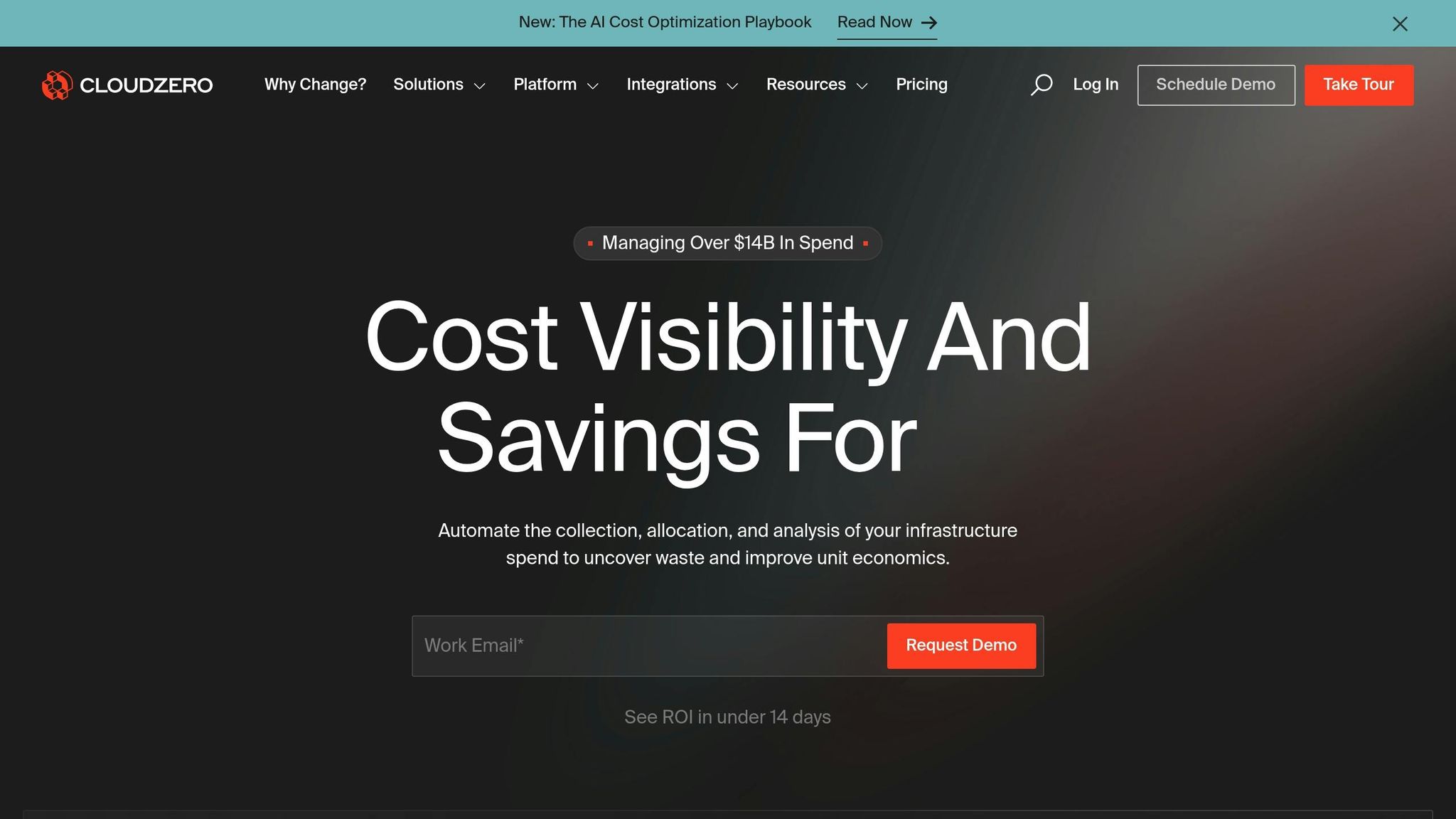
CloudZero is a cloud cost intelligence platform designed to bring all your spending data into one clear, unified dashboard. Whether you're using AWS, Azure, Google Cloud Platform, Kubernetes, Snowflake, Databricks, or various SaaS services, CloudZero consolidates everything into a consistent view. For UK organisations managing a mix of platforms - like AWS for infrastructure and Azure for Microsoft-focused workloads - this means you can track and manage all your cloud costs in GBP without juggling multiple tools [1][2].
Let’s dive into how CloudZero’s alerting, anomaly detection, cost allocation, and pricing features offer practical insights for UK businesses.
Alert Capabilities
CloudZero’s alert system is built to keep you in the loop without overwhelming you. It provides budget alerts, anomaly alerts, and unit cost alerts, all of which can be customised. For instance, you could set alerts for when monthly spend exceeds £10,000 or if there’s a 30% spike in daily costs. Notifications are sent straight to Slack or email, so you can act quickly. Many teams start with broad alerts and then fine-tune them to focus on critical services or high-value customers, cutting down on unnecessary notifications and keeping the focus on what matters [1][2][3].
Anomaly Detection
Using machine learning, CloudZero continuously monitors historical spending patterns across your accounts and services. If something seems off - like a service scaling unexpectedly overnight or a test environment being left active - it flags the anomaly. You’ll get insights into potential root causes so you can act fast, whether that’s rolling back a deployment or shutting down unused resources before the costs pile up. This proactive approach can save organisations from nasty surprises on their next invoice [1][2][3].
Cost Allocation Granularity
One of CloudZero’s standout features is its ability to map costs to specific dimensions like customers, products, teams, or environments. And here’s the kicker: it doesn’t rely solely on tagging. Instead, it uses virtual tagging and hierarchical views to group resources logically based on metadata, like resource names or deployment patterns. This means you can accurately assign costs to particular squads, cost centres, or even revenue streams. For example, a SaaS company could break down costs for UK customer cohorts or specific features, which helps with pricing decisions and prioritisation. It’s a game-changer for organisations looking to implement precise showback or chargeback models [1][2][3].
Pricing Model
CloudZero operates on a subscription basis, with pricing that scales depending on your cloud spend and the features you choose. Unlike free native tools, CloudZero charges for advanced capabilities like multi-cloud data ingestion, detailed cost allocation, anomaly detection, and unit economics reporting. For UK organisations, it’s worth considering how much you currently spend on the cloud, the savings you could achieve through early anomaly detection, and whether you need enterprise-level features like single sign-on or dedicated support. If you don’t have an in-house FinOps team, pairing CloudZero with advisory services - such as those from Metamindz - can help you set up tagging strategies, design cost allocation models, and integrate alerting into your existing workflows [1][2][3].
CloudZero’s tools aim to bring clarity and control to cloud spending, helping organisations make smarter decisions about their budgets and resources.
2. Vantage
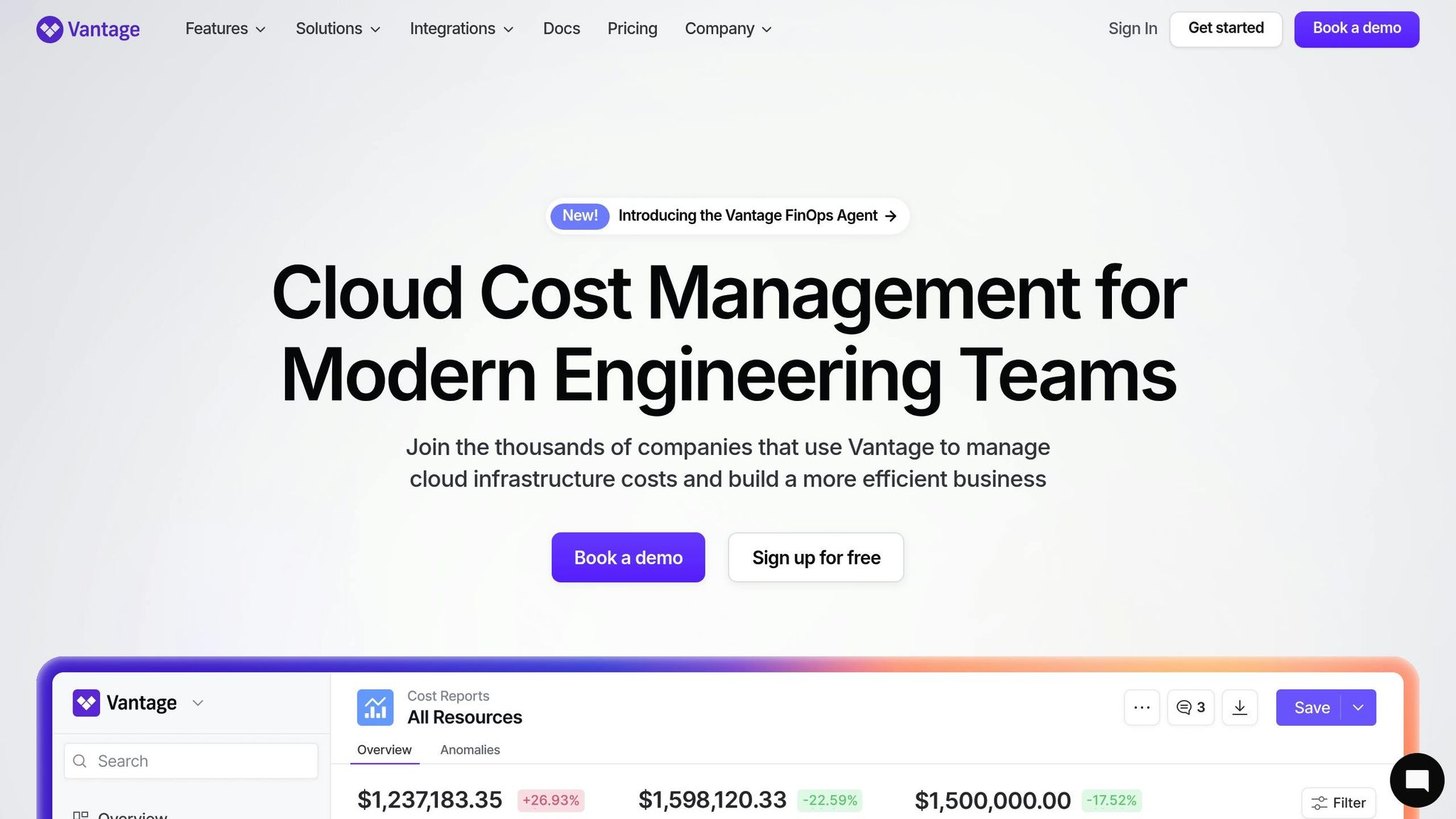
Vantage is a cloud cost intelligence platform designed to bring all your spending data into a single dashboard. For organisations using AWS, Azure, Google Cloud Platform, Kubernetes, Snowflake, or Datadog, Vantage simplifies things by consolidating this information in one place. No more jumping between multiple dashboards! For UK teams managing hybrid or multi-cloud setups, this can be a game-changer. It allows you to track spending in pounds sterling and pinpoint your biggest cost drivers without juggling separate billing systems.
Let’s dive into how Vantage handles alerts, anomaly detection, cost allocation, and pricing, and why it matters for UK organisations.
Primary Cloud Support
Vantage supports a wide range of platforms, including AWS, Azure, GCP, Kubernetes, Snowflake, and Datadog. By pulling all this data together, it eliminates the headache of switching between platforms. Instead, you get a complete view of your cloud spending, so you’re never left wondering where your money is going. And with that visibility, you can focus on making informed decisions about your budget. Next, let’s see how its alert system keeps your spending in check.
Alert Capabilities
With Vantage, you can set spending thresholds and receive notifications as you approach your budget limits. It’s like having a financial watchdog for your cloud usage. The platform’s forecasting tools and budget tracking features make it easy to stay on top of your spending. Plus, custom alerts mean you can tailor notifications to fit your team’s needs, giving finance and engineering teams the chance to step in before costs spiral out of control.
Anomaly Detection
Using machine learning, Vantage can spot unusual spending patterns as they happen. Imagine a service suddenly scaling up unexpectedly or an old test environment being left active - Vantage catches these issues and sends you an alert. This proactive approach not only helps you avoid nasty surprises on your bill but also offers personalised cost-saving tips based on how you use your resources. It’s like having a smart assistant keeping your cloud costs in check.
Cost Allocation Granularity
Vantage takes cost allocation to the next level with virtual tagging and hierarchical views. It lets you break down costs by team, project, or even business unit, which is especially handy if your tagging practices are a bit messy. You can see exactly where every pound is going - whether it’s by customer, product line, or department. This level of detail makes chargeback and showback reporting much easier, helping you make better pricing decisions and encouraging accountability across your organisation.
Pricing Model
Pricing for Vantage depends on factors like the number of cloud accounts, data volume, and the features you choose. You’ll need to contact the vendor for a tailored quote. When weighing up the cost, don’t forget to consider the total cost of ownership - things like implementation, training, and support - against the potential savings you’ll get from better visibility and efficiency. For organisations looking to set up cost allocation models or integrate alert systems into their workflows, working with advisory services like Metamindz can help you get the most out of Vantage.
In short, Vantage aims to move organisations from simply reacting to cloud costs to actively managing them. It’s not just about tracking spending - it’s about taking control and making smarter financial decisions for your cloud operations.
3. nOps
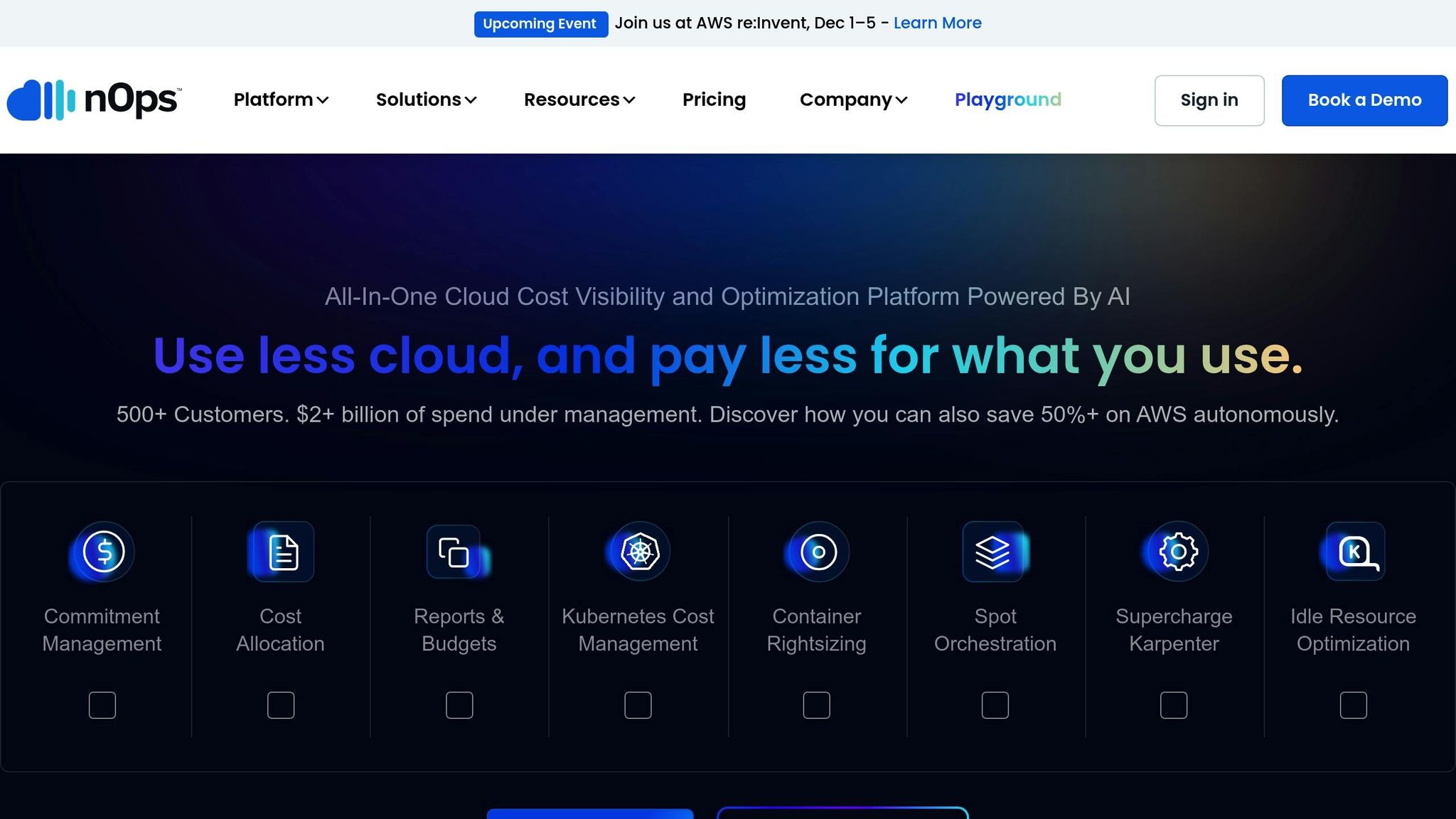
nOps is a FinOps platform designed specifically for Amazon Web Services (AWS) environments. As an AWS Advanced Technology Partner, it offers a tight integration with AWS services like EC2, RDS, S3, and Lambda. For organisations in the UK managing sensitive customer data, nOps operates within AWS's regional compliance frameworks, ensuring data residency in EU or UK regions. This focus on AWS makes it a strong choice for businesses heavily reliant on Amazon's cloud, providing tools tailored to optimise costs and manage resources efficiently.
Primary Cloud Support
The standout feature of nOps is its seamless AWS integration. By continuously pulling data from AWS Cost and Usage Reports (CUR) and CloudWatch metrics, it provides near real-time insights into your spending. For UK teams, this means you can track costs in pounds sterling and get a clear breakdown of where your AWS budget is being used. This level of detail supports custom alerts and tools that help you stay on top of your AWS expenses.
Alert Capabilities
nOps lets you set up alerts to track spending across various dimensions - whether it's a specific service, account, or environment like a production setup in AWS's eu-west-2 region. These alerts can notify your team via Slack, Microsoft Teams, or email, ensuring everyone is informed of potential overspending. What’s more, you can integrate these alerts with automation tools, such as triggering an AWS Lambda function or using Infrastructure-as-Code workflows, to take immediate action. This feature is especially handy for teams spread across UK and European time zones, reducing delays in addressing cost issues.
Anomaly Detection
The platform goes beyond static budget alerts by using machine learning to spot anomalies in your spending patterns. It analyses trends in hourly or daily costs across accounts, services, regions, or tags, flagging unexpected deviations. For example, if your EC2 costs in eu-west-2 suddenly spike by 70% in a single day, nOps will alert you. This proactive detection can catch issues that traditional budget thresholds might miss, giving teams the tools to act quickly and keep costs under control.
Cost Allocation Granularity
nOps excels in breaking down costs with precision. It allows you to view spending by project, microservice, environment (like dev, test, or prod), and even customer segments, provided you’ve set up your tags properly. This level of detail can help UK teams make informed decisions, such as comparing the costs of a "Payments" microservice in production versus a shared staging environment. For organisations using showback or chargeback models, these insights are invaluable for reporting expenses back to individual departments or product lines. To keep tagging practices effective, regular tag audits - perhaps with the help of a fractional CTO or a FinOps consultancy like Metamindz - are essential as your infrastructure scales.
Pricing Model
nOps uses a percentage-of-cloud-spend pricing model rather than a flat per-user fee. This means that as your AWS usage grows, so does the cost of nOps. However, the idea is that the savings it generates will outweigh its fees. Finance teams in the UK should calculate the return on investment (ROI) in pounds, factoring in their internal exchange rate assumptions. It’s worth asking nOps for concrete examples of savings at different AWS spend levels to determine how quickly the platform can pay for itself in your specific budgeting scenario.
sbb-itb-fe42743
4. Finout
Finout pulls together spending from AWS, Google Cloud, Azure, Kubernetes, and key SaaS tools into a single, easy-to-read "MegaBill" view. For UK teams, this means you can track your total cloud costs in GBP without constantly switching between dashboards. It’s a great fit for well-established FinOps teams that need more than basic budgeting - think insights like cost per customer or cost per feature. [1]
Primary Cloud Support
Finout integrates seamlessly with the big three cloud providers - AWS, Azure, and Google Cloud - alongside Kubernetes clusters and widely-used services like Snowflake, Databricks, and Datadog. By standardising billing data across these platforms, Finout makes it simpler to compare costs and spot savings opportunities, especially in hybrid or multi-cloud setups. Plus, it’s got tools to help you stay on top of your budget in real time. [1]
Alert Capabilities
Finout’s alert system is customisable and keeps you ahead of overspending. You can set thresholds for spend, usage, or unit costs across daily, weekly, or monthly intervals. If you’re about to breach a limit - or if you’re forecasted to - notifications can pop up in your email or Slack. For UK teams, these budgets and alerts can be set in GBP, and you can align them with your company’s cost centres or departmental budgets. To cut through the noise, alerts can be filtered by cloud provider, account, tag, or service, making them more targeted and actionable. [1]
Anomaly Detection
Taking alerts a step further, Finout uses machine learning to monitor for unexpected cost spikes. Whether it’s a sudden jump in service usage or a regional cost anomaly, the platform flags anything that strays from your usual patterns. Let’s say a UK SaaS company’s Google Cloud bill doubles overnight because of a misconfigured data pipeline dumping too much data into BigQuery. Finout would not only flag this spike but also break it down by account, service, and even Kubernetes namespace. Combined with a budget alert in GBP, this allows the FinOps engineer to quickly pinpoint and fix the issue - potentially saving tens of thousands of pounds in just a few hours. [1]
Cost Allocation Granularity
Finout offers detailed cost allocation, even when tagging is incomplete. By creating virtual hierarchies based on metadata, labels, accounts, or Kubernetes constructs, it can group resources by product line, team, or customer. This results in clear showback and chargeback reports, helping teams understand costs like those per customer, feature, or environment (development, staging, production). These insights are invaluable for pricing strategies, margin evaluations, and deciding where to focus optimisation efforts. Experts suggest first aligning Finout’s allocation model with your existing financial setup - mapping clouds, accounts, and clusters to cost centres and products. From there, standardising a minimal tagging policy ensures the allocation rules have reliable metadata to work with. [1]
Pricing Model
Finout uses a tiered subscription model that’s based on your total managed cloud spend and the features you need, rather than charging per user. For UK teams, it’s worth comparing the subscription fee to the potential savings. For instance, if Finout helps you cut 10–20% of waste from a £1 million annual cloud budget, the return on investment can easily justify the cost - especially if your team doesn’t have in-house FinOps automation. Many UK companies also see added value by teaming up with a CTO-led partner like Metamindz. They can help with crafting tagging strategies, Kubernetes multi-tenancy models, or automated workflows, ensuring Finout delivers long-term savings rather than just a one-time tidy-up. [1]
5. Harness Cloud Cost Management
Harness Cloud Cost Management brings cost visibility directly into your deployment workflows. Designed for teams managing Kubernetes and microservices across AWS, Azure, and Google Cloud, it helps UK-based engineering teams spot expensive changes as they happen - rather than being blindsided by the monthly bill. As with other tools we've discussed, Harness simplifies cost tracking and alerting, making it a valuable part of any FinOps toolkit.
Primary Cloud Support
Harness works seamlessly with AWS, Azure, and Google Cloud Platform, offering native Kubernetes support for both cloud and on-premises environments. It pulls together billing data and usage metrics to give you a single, unified view of spending across clusters, namespaces, and services. This is particularly useful for UK organisations juggling hybrid or multi-cloud setups with containerised workloads, as it eliminates the headache of fragmented cost data.
Alert Capabilities
With Harness, you can set budget thresholds and cost alerts at various levels - whether that's by account, project, application, or environment. Alerts kick in when actual or forecasted spending crosses these thresholds. For instance, you could set a monthly cloud budget in GBP for each product team or configure daily notifications if spending strays from expected patterns. And thanks to integrations with tools like Slack and email, your teams will always get timely updates.
Anomaly Detection
Harness includes anomaly detection to monitor usage and spending trends, flagging anything unusual. It tracks utilised, idle, and unallocated resources to help pinpoint unexpected cost spikes - like a sudden jump in storage or compute usage. For example, if a non-production Kubernetes namespace suddenly racks up a higher-than-usual cost, Harness will send an alert so your team can investigate immediately.
Cost Allocation Granularity
The tool offers detailed cost breakdowns by microservice, environment, application, team, or other business dimensions. For Kubernetes deployments, it can allocate costs to specific namespaces, workloads, and labels, making it easier to implement showback or chargeback models within your organisation. This level of detail helps UK companies understand costs on a per-customer or per-feature basis, which can inform pricing strategies, profitability analysis, and foster accountability across engineering teams.
Pricing Model
Harness Cost Management is part of the broader Harness platform, offered on an enterprise, quote-based pricing model. UK teams typically negotiate contracts in GBP, factoring in monthly cloud spend, the number of cloud accounts or projects, and the specific product modules being used. Independent reviews suggest Harness can help organisations cut cloud bills by up to 70% through optimised resource usage. For teams lacking in-house FinOps expertise, working with a CTO-led service like Metamindz could be a smart move. They can help you design tagging strategies, cost allocation models, and policies tailored to your business - delivering long-term savings and keeping your budgets in check.
Comparison Table
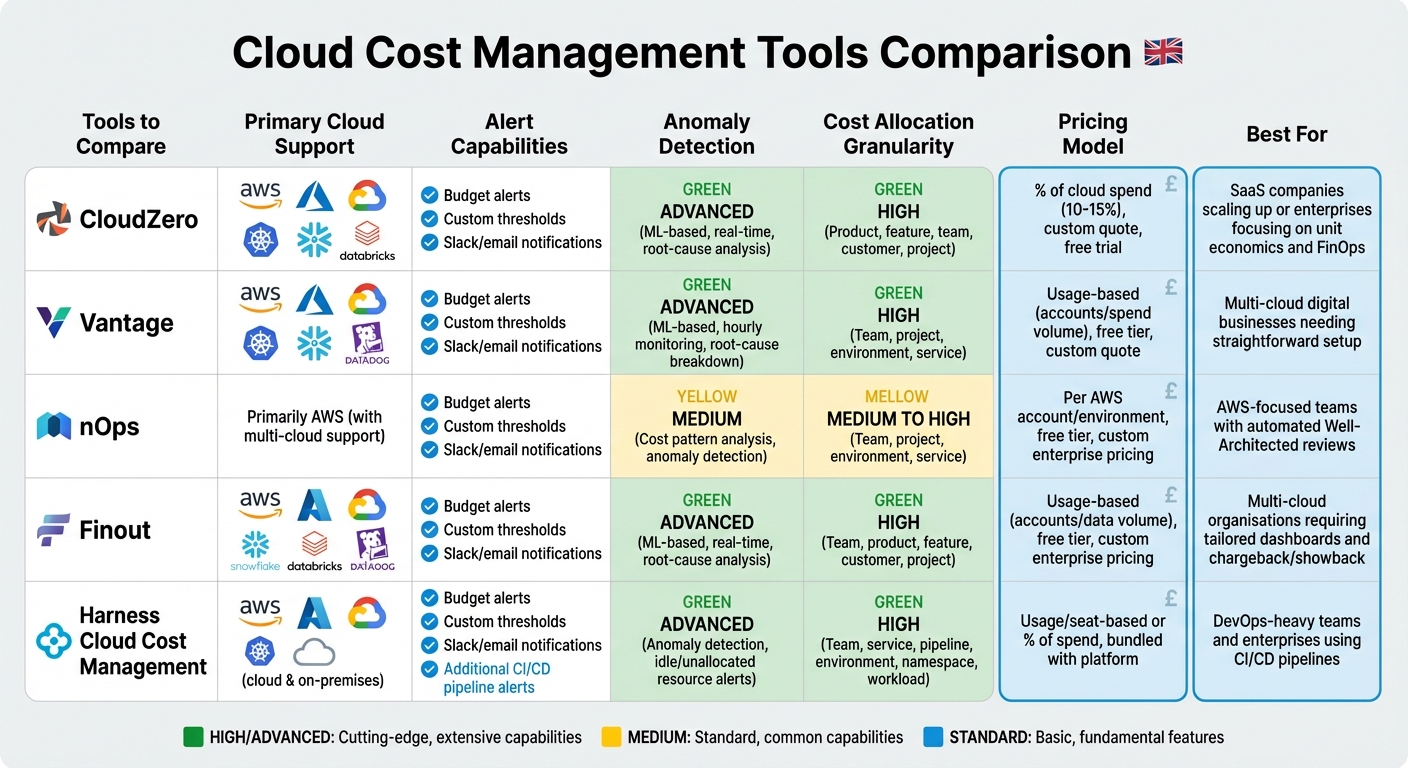
Cloud Cost Management Tools Comparison: Features, Pricing & Best Use Cases
Here’s a breakdown of five tools for managing cloud costs, tailored to the needs of UK businesses.
| Tool | Primary Cloud Support | Alert Capabilities | Anomaly Detection | Cost Allocation Granularity | Pricing Model | Best For |
|---|---|---|---|---|---|---|
| CloudZero | AWS, Azure, GCP, Kubernetes, Snowflake, Databricks | Budget alerts, custom thresholds, Slack/email notifications | Advanced (ML-based, real-time, root-cause analysis) | High (product, feature, team, customer, project) | % of cloud spend (around 10–15%), custom quote, free trial | SaaS companies scaling up or enterprises focusing on unit economics and FinOps practices |
| Vantage | AWS, Azure, GCP, Kubernetes, Snowflake, Databricks | Budget alerts, custom thresholds, Slack/email notifications | Advanced (ML-based, hourly spend monitoring, root-cause breakdown) | High (team, project, environment, service) | Usage-based (accounts/spend volume), free tier, custom quote | Multi-cloud digital businesses needing a straightforward setup |
| nOps | Primarily AWS, with multi-cloud support | Budget alerts, custom thresholds, Slack/email notifications | Medium (cost pattern analysis, anomaly detection) | Medium to High (team, project, environment, service) | Per AWS account/environment, free tier, custom enterprise pricing | AWS-focused teams looking for automated Well-Architected reviews and cost optimisation |
| Finout | AWS, Azure, GCP, Kubernetes, Snowflake, Databricks | Budget alerts, custom thresholds, Slack/email notifications | Advanced (ML-based, real-time, root-cause analysis) | High (team, product, feature, customer, project) | Usage-based (accounts/data volume), free tier, custom enterprise pricing | Multi-cloud organisations requiring tailored dashboards and chargeback/showback capabilities |
| Harness Cloud Cost Management | AWS, Azure, GCP, Kubernetes | Budget alerts, anomaly alerts, CI/CD pipeline alerts | Advanced (anomaly detection, idle/unallocated resource alerts) | High (team, service, pipeline, environment, namespace, workload) | Usage/seat-based or % of spend, bundled with Harness platform | DevOps-heavy teams and enterprises using CI/CD pipelines |
Key: High/Medium/Basic reflects the depth of cost breakdown (e.g., by customer, feature, or namespace). ML refers to machine learning–based anomaly detection. Pricing is usually shown in USD, so you’ll need to convert to GBP where applicable.
This table offers a snapshot to help you decide which tool aligns with your cloud budgeting goals.
For UK SMEs and scale-ups, these tools are often paired with fractional CTO or FinOps advisory support. A CTO-led partner like Metamindz can assist with designing effective tagging strategies, integrating alerts into your workflows, and identifying actionable cost-saving opportunities.
Conclusion
When it comes to choosing the right cloud cost management tool, it all boils down to your organisation’s setup and workflow. If your infrastructure is deeply tied to AWS, tools like nOps or CloudZero offer insights specifically tailored for that ecosystem. On the other hand, if you’re juggling multiple cloud providers like AWS, Azure, and GCP, platforms such as Vantage and Finout provide unified dashboards to help you track spending across all your platforms. For DevOps teams already working with CI/CD pipelines, Harness Cloud Cost Management fits neatly into the workflow, making it a no-brainer for seamless integration. Each of these options comes with its own pricing structure and level of customisation, so it’s worth digging into the details.
Speaking of pricing, tools vary widely in how they charge. Some take a percentage of your cloud spend, while others go for usage-based or per-account pricing. It’s not just about the cost, though - it’s about what you’re getting for your money. Features like machine learning-powered anomaly detection, detailed cost allocation, and real-time alerts can be game-changers. And don’t forget about ease of setup. Tools with native integrations and simple implementation can save you from unexpected costs and get you up and running faster.
Another key aspect is setting thresholds that align with your budget cycles. This allows you to move from simply reacting to cost spikes to planning ahead with confidence. These proactive capabilities tie into the FinOps strategies and real-time cost alerts we’ve discussed throughout this article.
For UK-based SMEs and scale-ups navigating the tricky waters of cloud cost management, combining the right tools with expert guidance can make a massive difference. A CTO-led partner like Metamindz can help refine your tagging, integrate alerts into your existing workflows, and uncover actionable ways to save money - all while keeping your FinOps strategy flexible as you scale.
At the end of the day, it’s about understanding where your organisation stands in terms of cloud maturity. Test out tools that align with your mix of cloud providers, budget, and need for API access. And remember, keeping a close eye on spending and setting up proactive alerts will always be key to staying on top of cloud costs as your organisation grows.
FAQs
What should I consider when selecting a cloud cost alert tool for my business?
Choosing the right cloud cost alert tool means focusing on what your business genuinely needs. Start by pinpointing the must-have features. For example, do you need real-time notifications to catch overspending instantly? Or perhaps customisable budget thresholds to set limits that reflect your unique operations? And don’t forget about integration with your current cloud platforms - nobody wants a tool that doesn’t play well with others.
Next, think about how the tool presents data. Does it offer clear reports and practical insights that actually help you rein in costs? A tool that just spits out numbers isn’t much use if it doesn’t guide you on what to do next. Also, check the pricing model - does it fit your budget without sneaky add-ons? If your business spans different regions or currencies, tools that can localise costs, like showing them in GBP (£), are a big plus.
Finally, don’t overlook usability and support. A complicated tool that requires a manual to operate isn’t worth the headache. Look for something intuitive, with solid customer support to back you up if things go sideways. A smooth setup and easy day-to-day use can save you loads of time and frustration.
How does machine learning improve anomaly detection in cloud cost management?
Machine learning plays a key role in spotting unusual spending patterns in cloud cost management, and it does so in real time. This means businesses can catch potential budget blowouts before they happen. Unlike older rule-based systems that rely on fixed parameters, machine learning adapts to shifting usage trends, offering sharper insights for better cost control and smarter resource allocation.
What’s more, it automates alerts and keeps learning from your data as it evolves. This allows companies to react swiftly to any irregularities, cutting down on wasted time and money while keeping operations running smoothly.
How do cloud cost management tools assist with budgeting and cost allocation?
Cloud cost management tools are a game-changer for keeping cloud spending in check. They’re designed to help businesses stay on top of their expenses by sending automated alerts whenever budgets are exceeded or spending nears a set limit. This kind of proactive notification can save you from nasty surprises at the end of the month.
These tools also make it simple to track where your money’s going. By breaking down costs by project, team, or department, they give you a clear picture of which areas are racking up the biggest bills. Plus, with real-time insights and customisable reports, you can fine-tune your cloud usage, cut down on unnecessary spending, and plan your budgets with much greater precision.